Website & Trust
5 button changes that make it easier for clients to get in touch
Every enquiry through your website passes through a button. Five simple wording changes, with before-and-after examples, that make the next step clearer for clients.
5 button changes that make it easier for clients to get in touch
Buttons are the smallest words on your website, and they carry the most weight. Every enquiry you've ever received through your site passed through one. Yet button wording is usually the last thing anyone thinks about, often left exactly as the website template set it up.
So we end up with "Submit", "Learn more", "Click here" and "Contact us". None of them is wrong. They just describe what the website does rather than what the visitor gets. And "Submit" in particular has the faint air of handing in a tax return.
Here are five changes you can make without touching the design. Each one takes minutes, and together they make the next step feel clearer and safer for the people you most want to hear from.
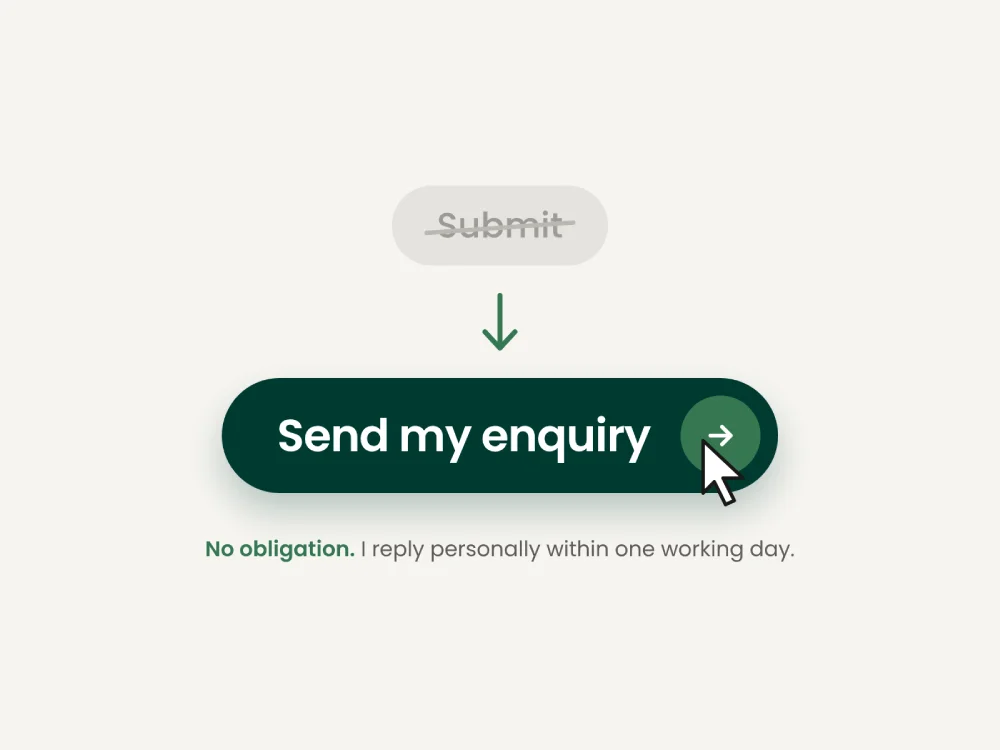
1. Swap "Submit" for what actually happens
A button is a small promise. The visitor should know what they'll get before they press it.
Before: Submit
After: Send my enquiry
The same idea works everywhere. "Contact us" becomes "Ask about availability". "Download" becomes "Get the pricing guide".
Each version removes a little uncertainty. That matters most to the cautious, considered buyers most consultants and coaches want to attract: the ones who don't press anything until they're fairly sure what it does.
2. Match the ask to how ready they are
Not every visitor is ready to start a project. Someone who arrived thirty seconds ago and sees "Start your project today" at the top of the page is being asked for a lot, a bit like a shop assistant reaching for the card machine as you walk through the door.
Before: Start your project today (top of the homepage)
After: See how I work
Think about where each button sits and how far along the reader is likely to be. Near the top of the homepage, offer a gentle next step. After a case study, when they've seen your thinking, "Talk about a project like this" fits nicely. On the contact page, where they've already decided, "Book a call" is exactly right.
You're not hiding the main offer. You're giving people a step that matches how ready they feel.
3. Write it from their side of the screen
Read your buttons as the visitor would. "Register" and "Subscribe" are words for the website's records. Words for the person sound different.
Before: Subscribe
After: Send me the checklist
Small, plain verbs help too. "Book", "see", "get", "ask" and "read" tell people exactly what will happen. "Discover", "explore" and "unlock" sound like they belong on a holiday brochure, and they leave the visitor guessing.
4. Give every button its own job
Six "Learn more" buttons down a page, each leading somewhere different, means nobody can tell them apart. And a section with four buttons asks the visitor to make a decision before they've finished reading.
Before: Learn more, Learn more, Learn more
After: See the full case study, How pricing works, Meet the team
Pick the one action that matters most in each section and make it the obvious choice. Anything else can be a simple text link.
There's a side benefit. People using screen readers often skip from link to link, hearing each one out of context. "See the full case study" makes sense on its own. "Click here" doesn't.
5. Add one reassuring line underneath
The words next to a button can do as much as the button itself. A short line underneath answers the question that makes people hesitate.
Before: Book a call
After: Book a 20-minute call No obligation. You'll get a calendar invite straight away.
Only promise what you'll reliably do, of course. If you normally reply within two days, say two days. Being trusted to keep a small promise is worth more than sounding fast.
The five changes at a glance
These examples are general illustrations rather than taken from any particular website.
Change | Before | After |
|---|---|---|
Say what happens | Submit | Send my enquiry |
Match the ask | Start your project today | See how I work |
Write from their side | Subscribe | Send me the checklist |
One job per button | Learn more | See the full case study |
Reassure underneath | Book a call | Book a 20-minute call, plus "No obligation" |
Try this today
Open your website and make a list of every button and link you'd want someone to press. Then read the list on its own, away from the page. Could a stranger tell you what each one does and what happens afterwards?
Any that leave you shrugging are worth rewording. It's a twenty-minute job, and you don't need to touch the design.
Want another pair of eyes on it?
If you'd like someone to look at your website's wording with you, I offer a free 20-minute Website Clarity Review. We go through your site together on a video call and I'll point out the changes I'd make first, buttons included. No obligation, and nobody will ask you to "Submit" anything.