Website & Trust
Why visitors leave your contact page (and 5 ways to keep them)
By the time someone reaches your contact page, they’re nearly convinced. How to write the intro, form and thank-you message so more of them actually get in touch.
By the time someone reaches your contact page, most of the hard work is done. They've read your homepage, looked at your work and decided you might be the person they need. They're one message away from becoming an enquiry.
And very often, what greets them is a heading that says "Get in touch", a form, and a map showing where your office is.
Why they leave
People rarely leave a contact page because they've changed their mind about you. They leave because a small, quiet question goes unanswered:
Is my project the right size for this person, or will I seem too small or too complicated?
What happens after I press send? Will I get a sales call I didn't ask for?
How long will it be before I hear back?
What should I actually write?
If the page doesn't answer them, the easiest thing to do is close the tab and think about it later. (Later, as we all know, rarely comes.)
The good news is that every one of those questions can be answered with wording. Here are five ways to do it. The before-and-after examples are illustrations, so swap in your own details.
1. Introduce yourself properly
The words above your form are a chance to sound like a person, not a reception desk.
Before: Contact us. Fill in the form below and we'll get back to you.
After: Tell me a little about your business and what's prompting you to look at this now. I read every message myself and reply within one working day, usually with a couple of questions or a few times to talk.
Notice what the "after" does. It tells people what to write, who will read it, when they'll hear back and what the reply will look like. Four worries, settled in two sentences.
2. Ask only what you need for the first conversation
Every field on a form is a small question, and ten of them start to feel like an interview. Ask for what you need to have a useful first conversation, and save the rest for that conversation.
For most consultants and coaches, that's a name, an email address and a message. A phone number can be optional. A website address is helpful if your work involves their website.
The labels matter too. A box marked "Message" gives people nothing to go on.
Before: Message
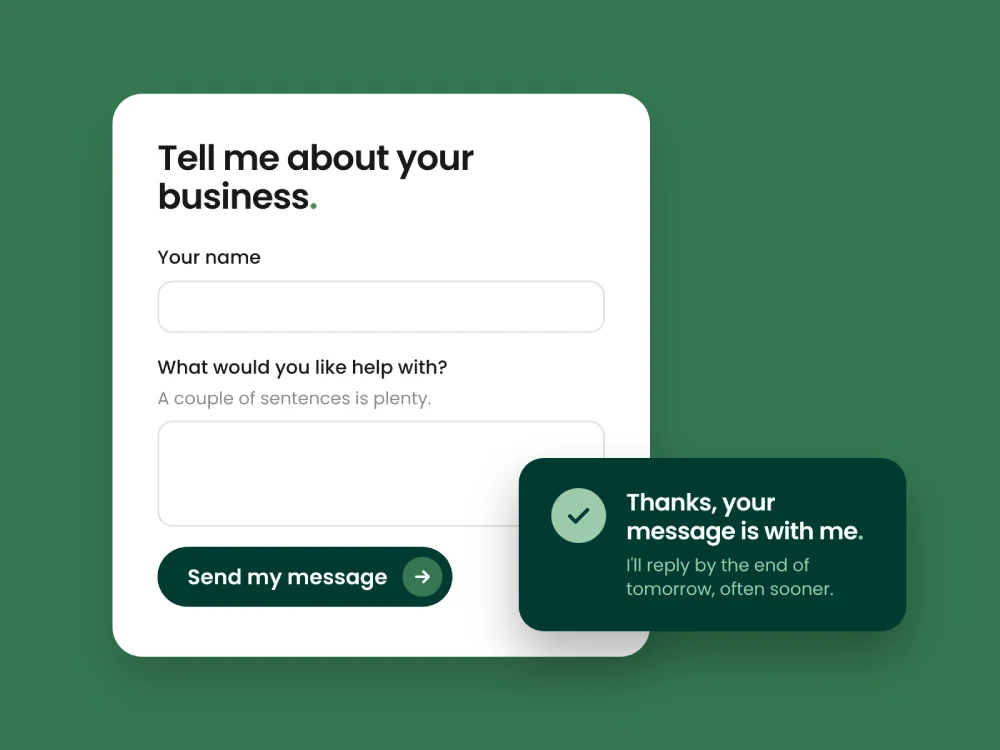
After: What would you like help with? (A couple of sentences is plenty.)
That little note in brackets is doing real work. It tells people they don't need to write an essay, which removes one of the most common reasons to put it off.
If you ask about budget, explain why and offer ranges rather than an empty box. "So I can suggest options that fit" sounds very different from a blank field that feels like a test.
3. Offer more than one way in
Some people love a form. Others would much rather send an email, book a call directly or drop you a message on their phone. Giving a couple of options lets people get in touch in the way that feels easiest to them.
When I redesigned the website for Vikash Dudhia, a medical consultant with a global reach, one of the key decisions was adding an easier route to enquire through WhatsApp. His old site was a very basic landing page that no longer reflected his expertise, and the new one needed to make getting in touch feel easy. A messaging app that people already use every day is a much lower hurdle than a form, wherever in the world they happen to be.
You don't need every channel under the sun. Two or three, clearly shown, is usually enough.
4. Don't leave them wondering after they press send
After someone presses send, most websites say "Thank you, your message has been sent." Then nothing. The visitor is left wondering whether it worked, and when they'll hear back.
Before: Thank you. Your message has been sent.
After: Thanks, your message is with me. I'll reply by the end of the next working day, often sooner. If it's urgent, you can also reach me on [phone number]. In the meantime, here's what a first conversation with me usually covers.
The same goes for the automatic email that follows. If you've never sent yourself an enquiry through your own website, try it today. Check it arrives, check it didn't end up in spam, and check the reply says what happens next. It's an easy thing to miss, because nobody writes in to tell you their enquiry vanished.
5. Put the reassurance where they can see it
The last bit of hesitation is often about pressure. Will this turn into a hard sell? Is the form the only way to reach a real person? A line or two near the form can settle it.
Before: Get in touch
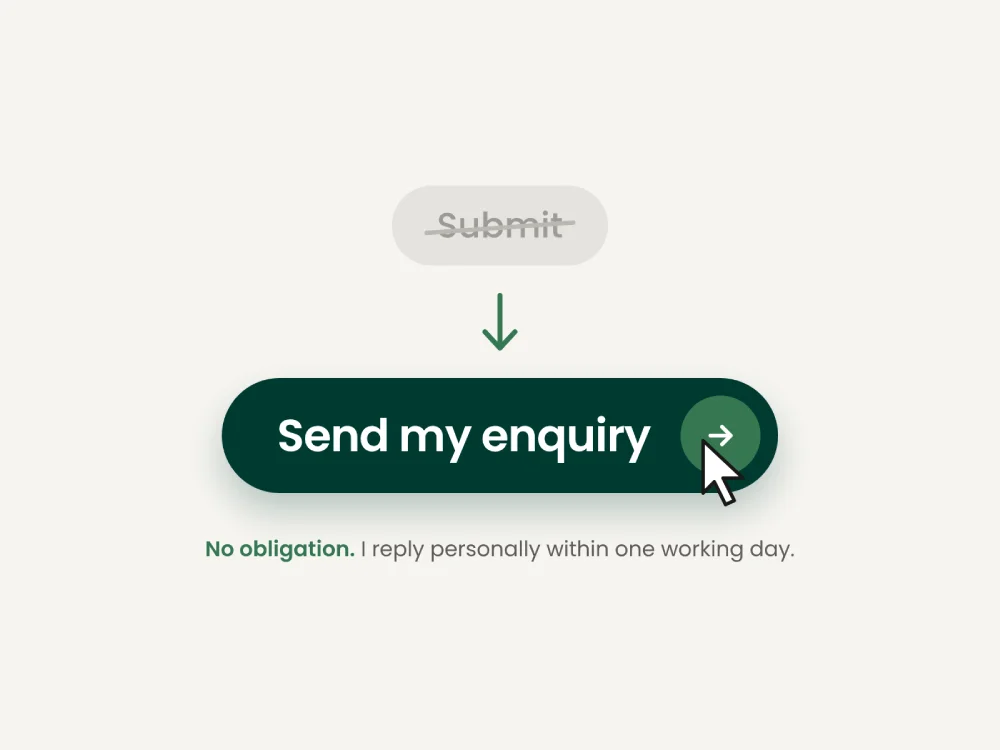
After: Get in touch. No obligation, just a conversation. Prefer email? You'll find me at [your email address].
A few details make the same point:
Make your email address visible, not hidden behind the form. Some people simply prefer it.
Say "no obligation" if it's true. It costs nothing and takes the pressure off.
Keep the tone consistent with the rest of your site. If your homepage is warm and your contact page reads like a legal notice, people notice the change.
The last step deserves the most care
Your contact page is where all the work your website does either turns into a conversation or quietly doesn't. It's worth making it the friendliest, clearest page on the site.
If you'd like to look at yours together, I offer a free 20-minute Website Clarity Review. On a short video call, we walk through your site, including the route from first visit to enquiry, and I'll point out what I'd change first. No obligation, and you'll get a reply when I say you will.